How do I access SMB Inside Access live meetings?

Created by Rose Mendez, Modified on Wed, 22 Apr at 2:58 PM by Rose Mendez

These are the instructions on how to access the live meetings:

Upon receiving the email containing your Real Time account login details, follow these steps to access your account for the live meetings:
  • Log in to the Real Time platform: https://rt.smbtraining.com/
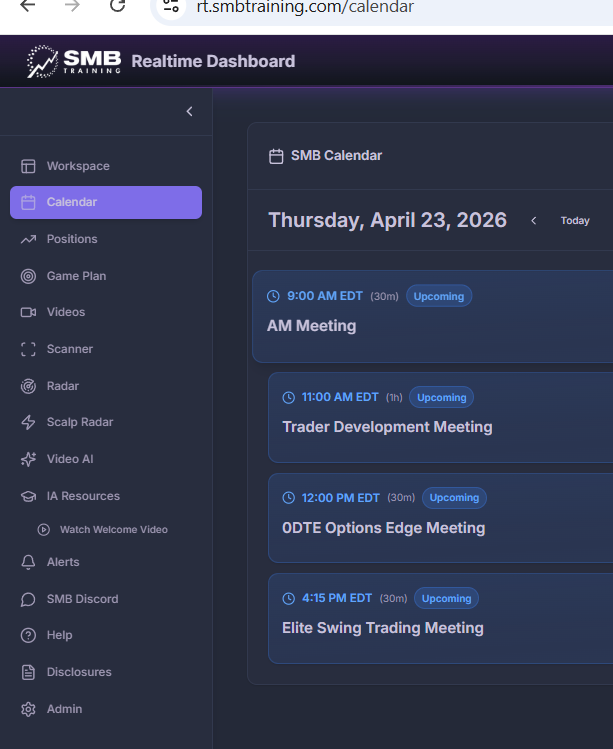
  • Go to the Calendar to see the meetings scheduled for the day
  • Click on the meeting you’d like to attend to register and join
  • After launching Zoom, you may see “Waiting for the host”—just hang tight until the meeting begins
 

Was this article helpful?

That’s Great!

Thank you for your feedback

Sorry! We couldn't be helpful

Thank you for your feedback

Let us know how can we improve this article!

Select at least one of the reasons
CAPTCHA verification is required.

Feedback sent

We appreciate your effort and will try to fix the article